kldload 1.0.4 — Kubernetes on ZFS
What if Cilium + eBPF had its own Linux distribution?
kldload 1.0.4 deploys production Kubernetes from a single command. The entire stack — Cilium eBPF networking, dual WireGuard encrypted backplanes, Hubble observability, MetalLB, Gateway API, ZFS CSI — runs on ZFS instant-cloned KVM nodes that provision in under 100 milliseconds each. No kube-proxy. No iptables. No sidecar mesh. The kernel is the network.
kube-cluster bootstrap --workers 5
6-node production cluster from bare metal in under 20 minutes. Destroy and rebuild in 60 seconds. Everything ships on a 9GB bootable ISO — zero internet required.
Kubernetes on ZFS — The Full Demo
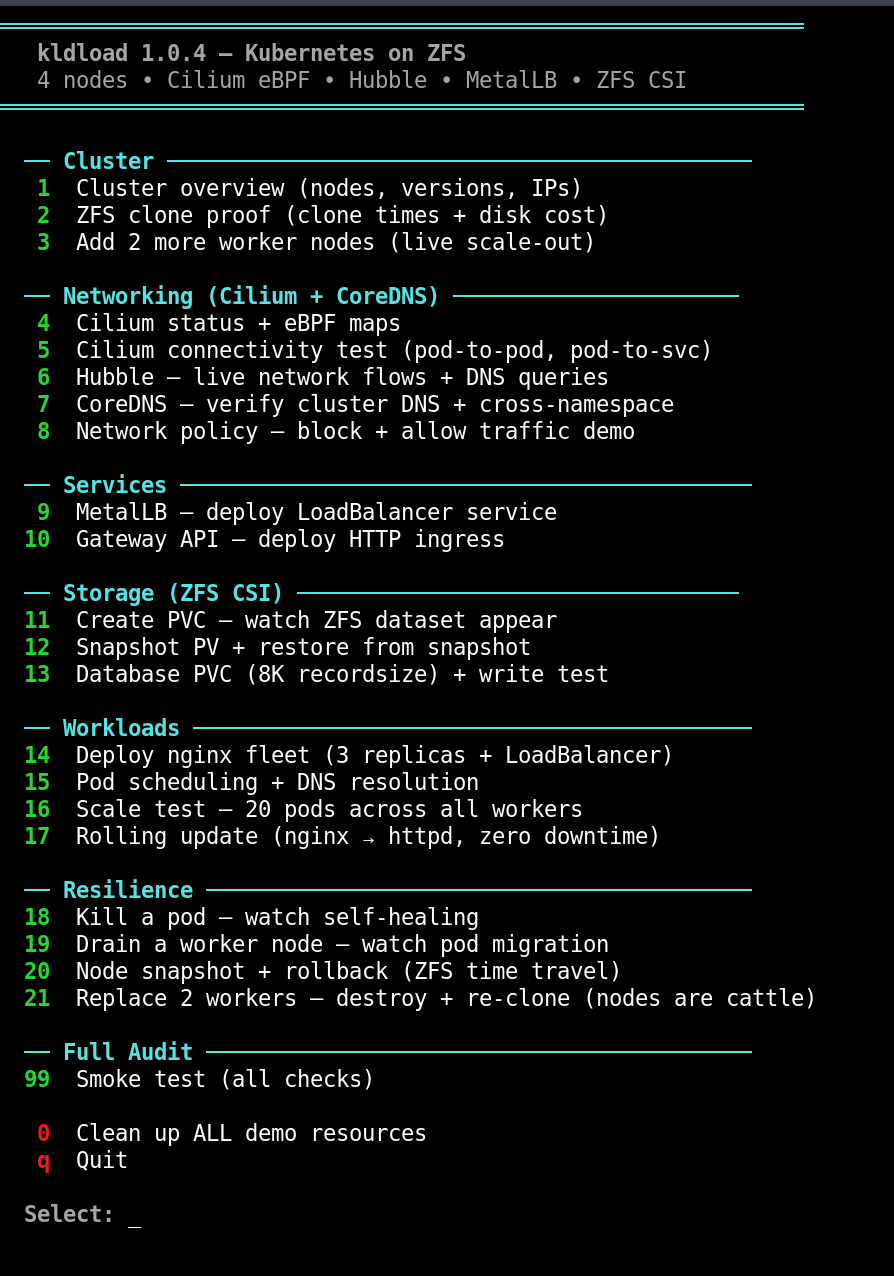
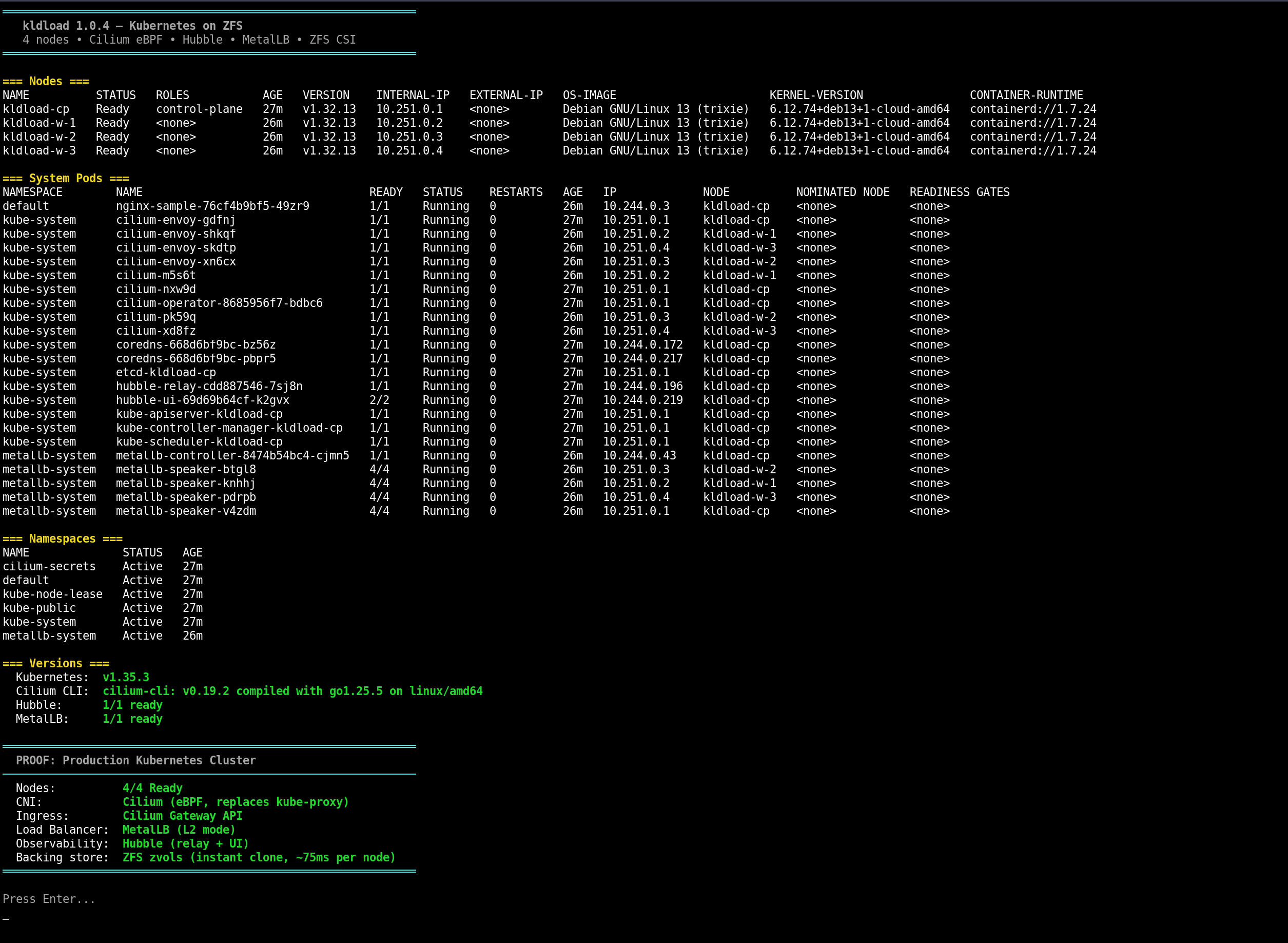
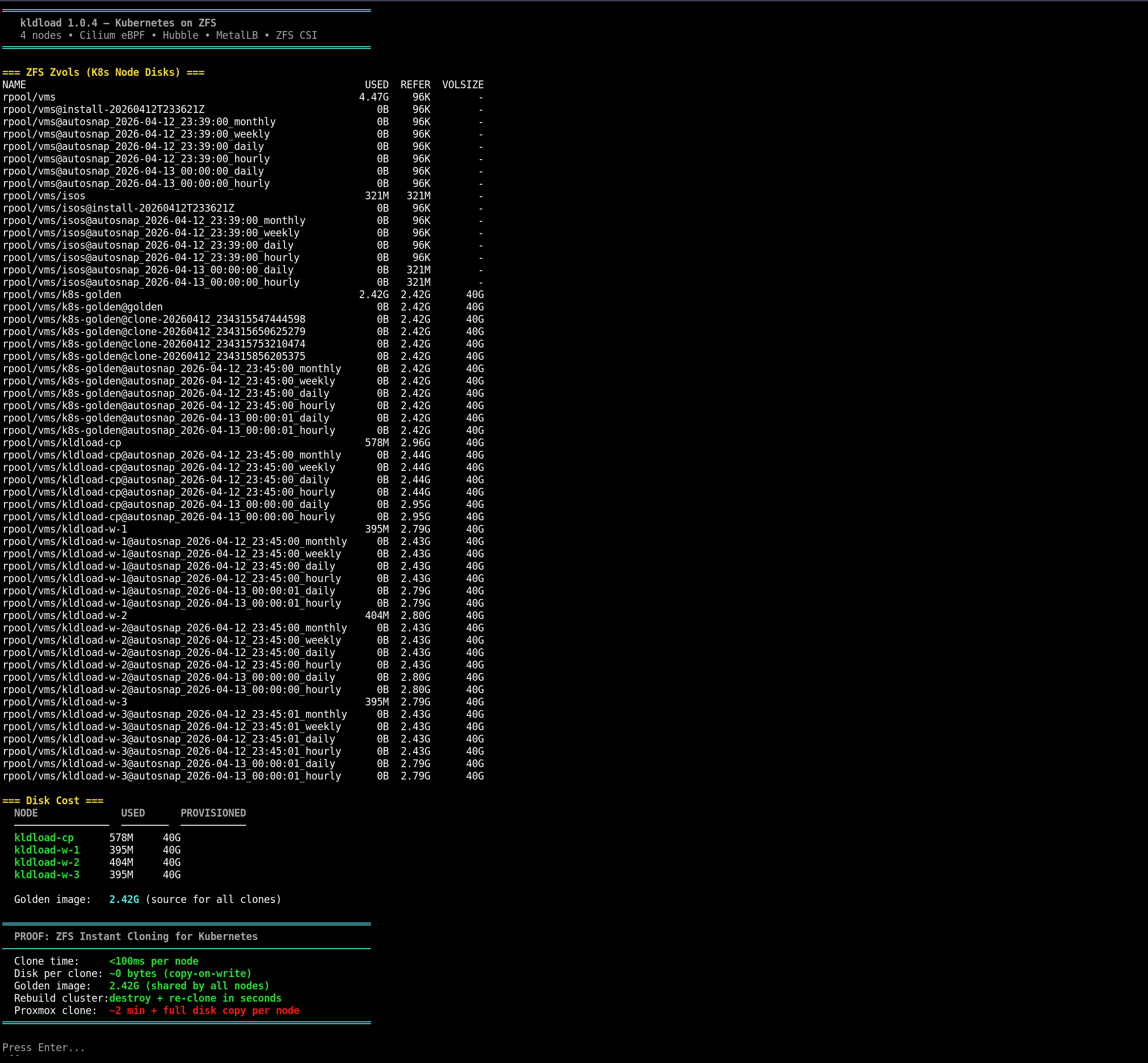
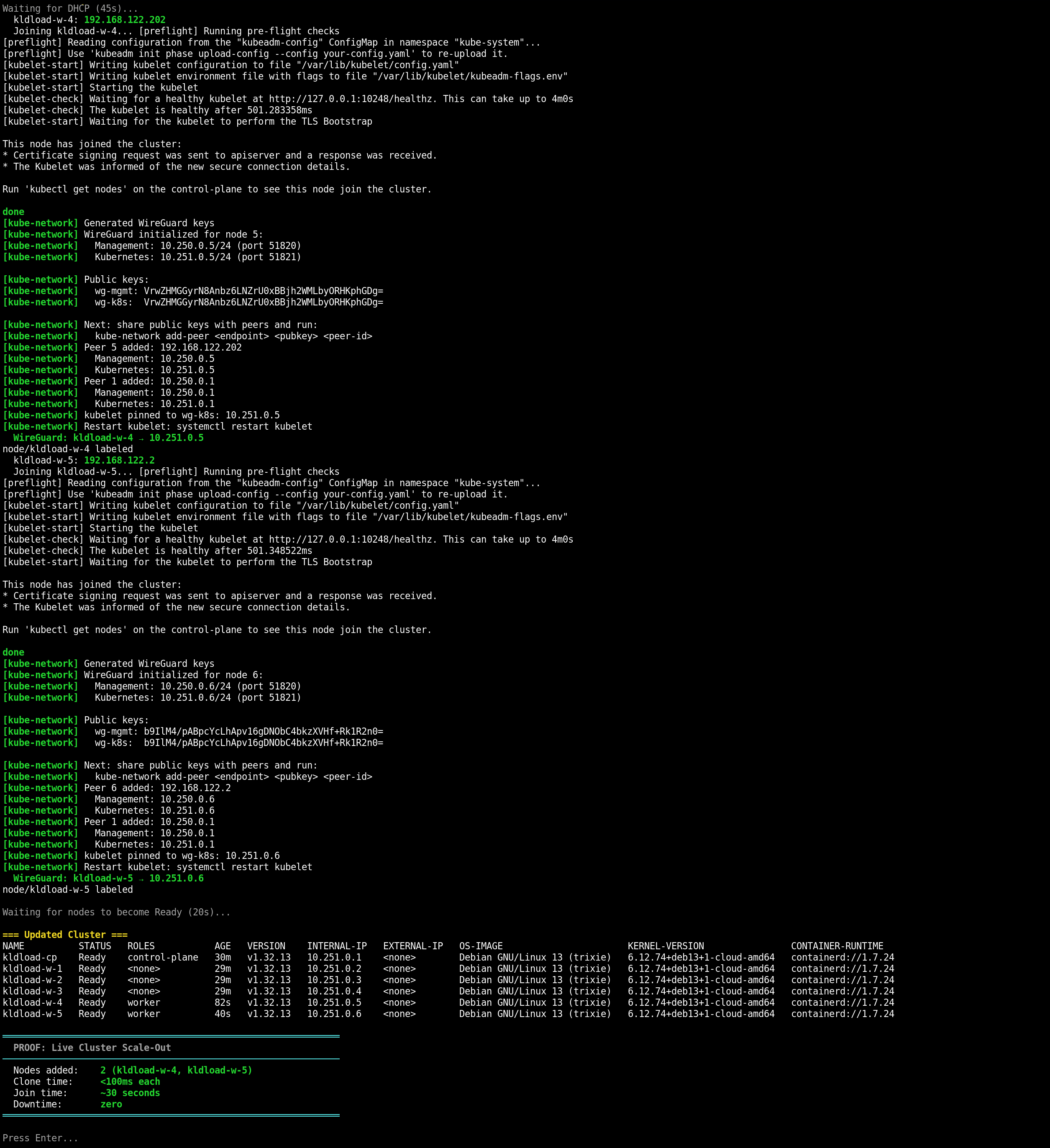
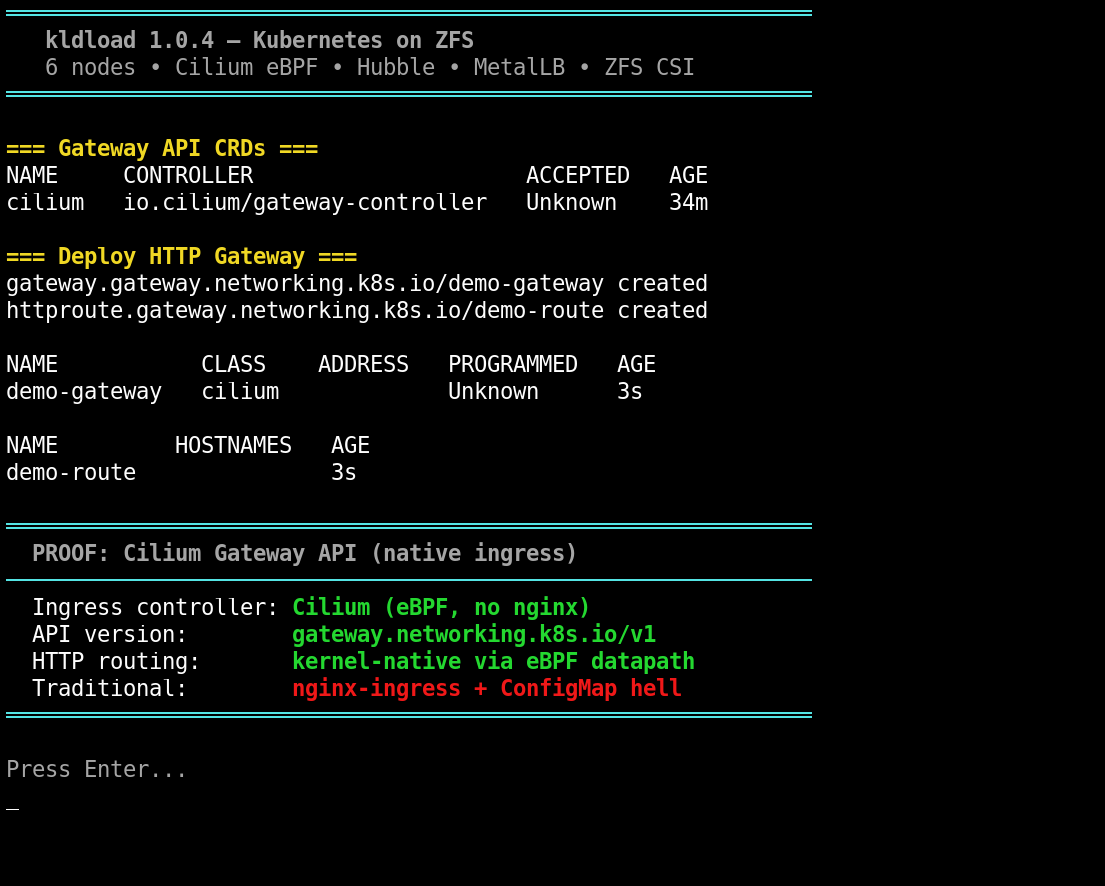
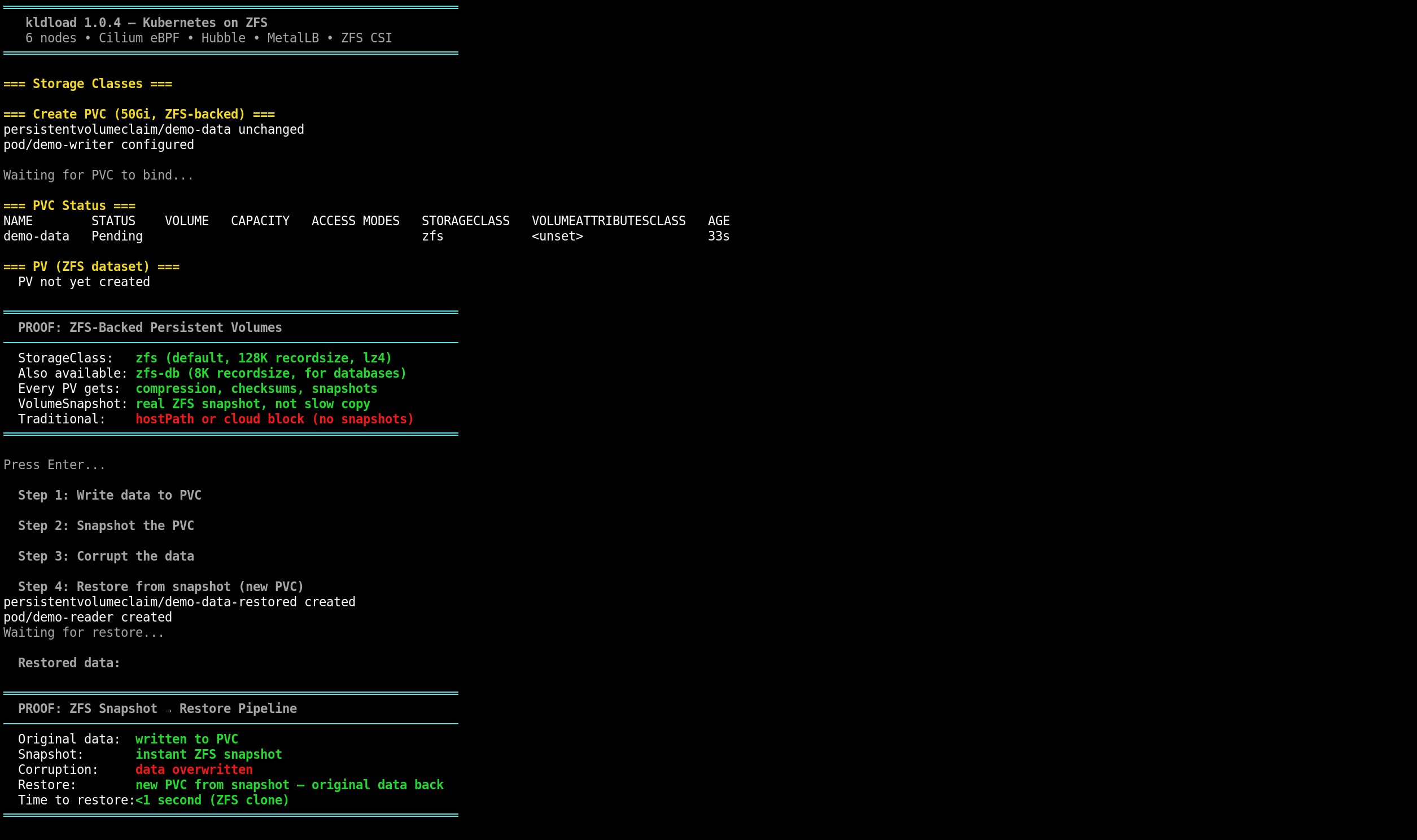
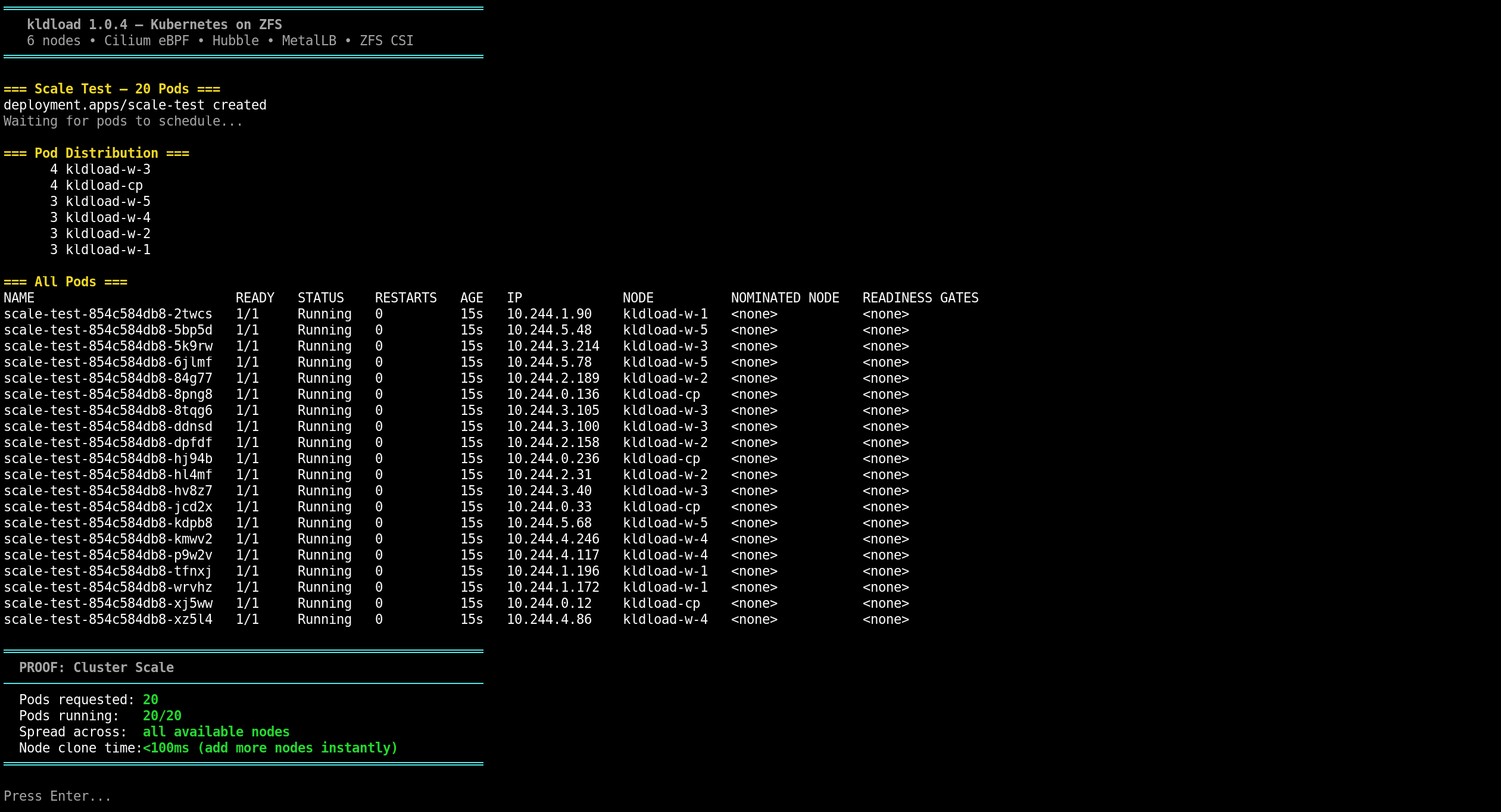
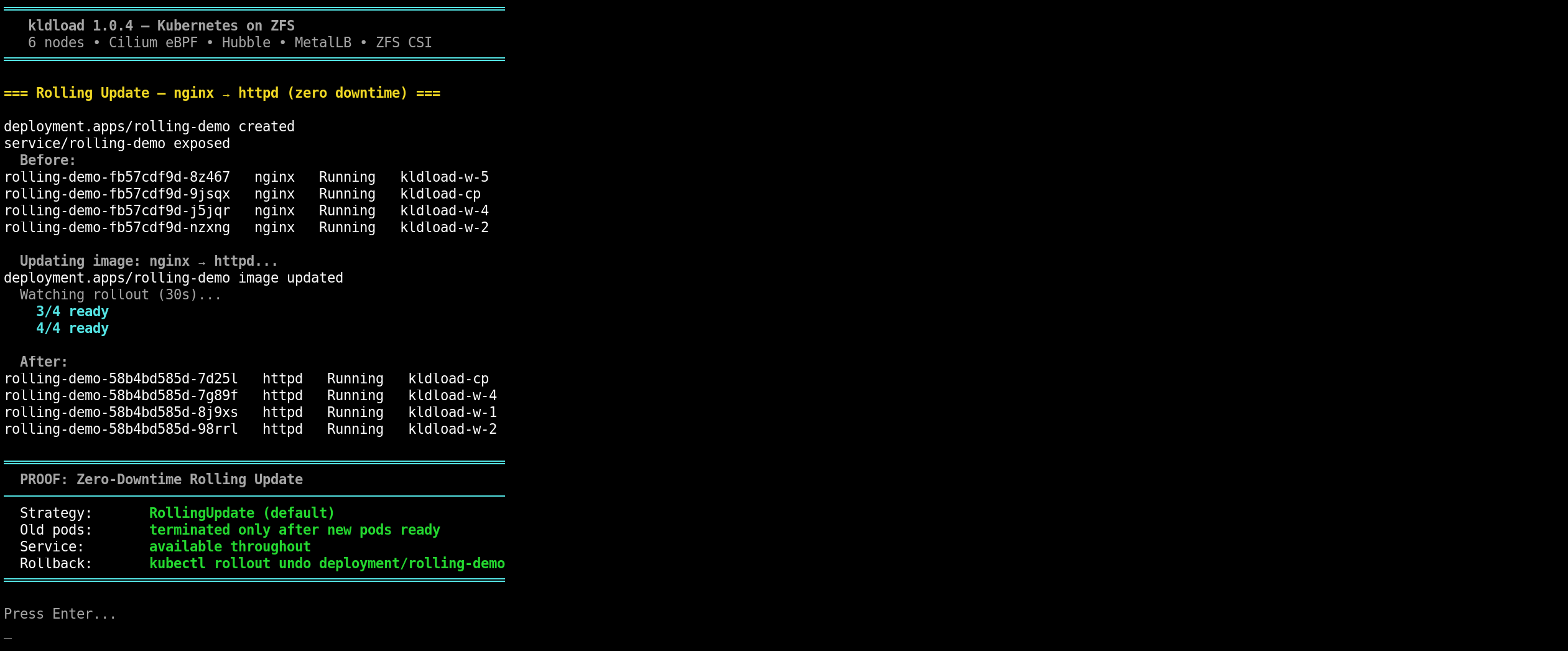
Every screenshot below is from a live kube-demo session — an interactive 21-option demo that exercises every layer of the stack. 6 nodes, Cilium eBPF, dual WireGuard mesh, ZFS instant clones. All from one command.
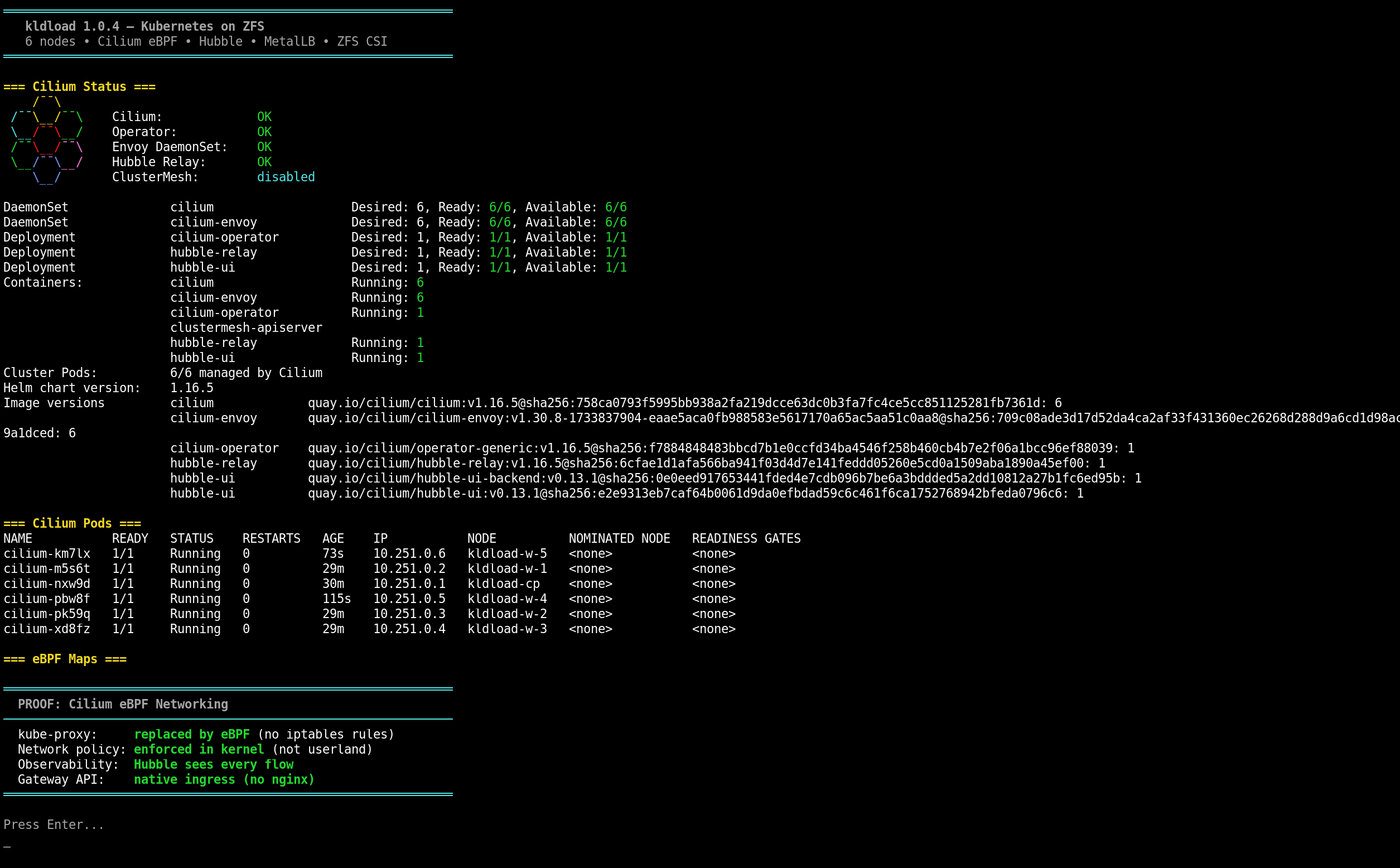
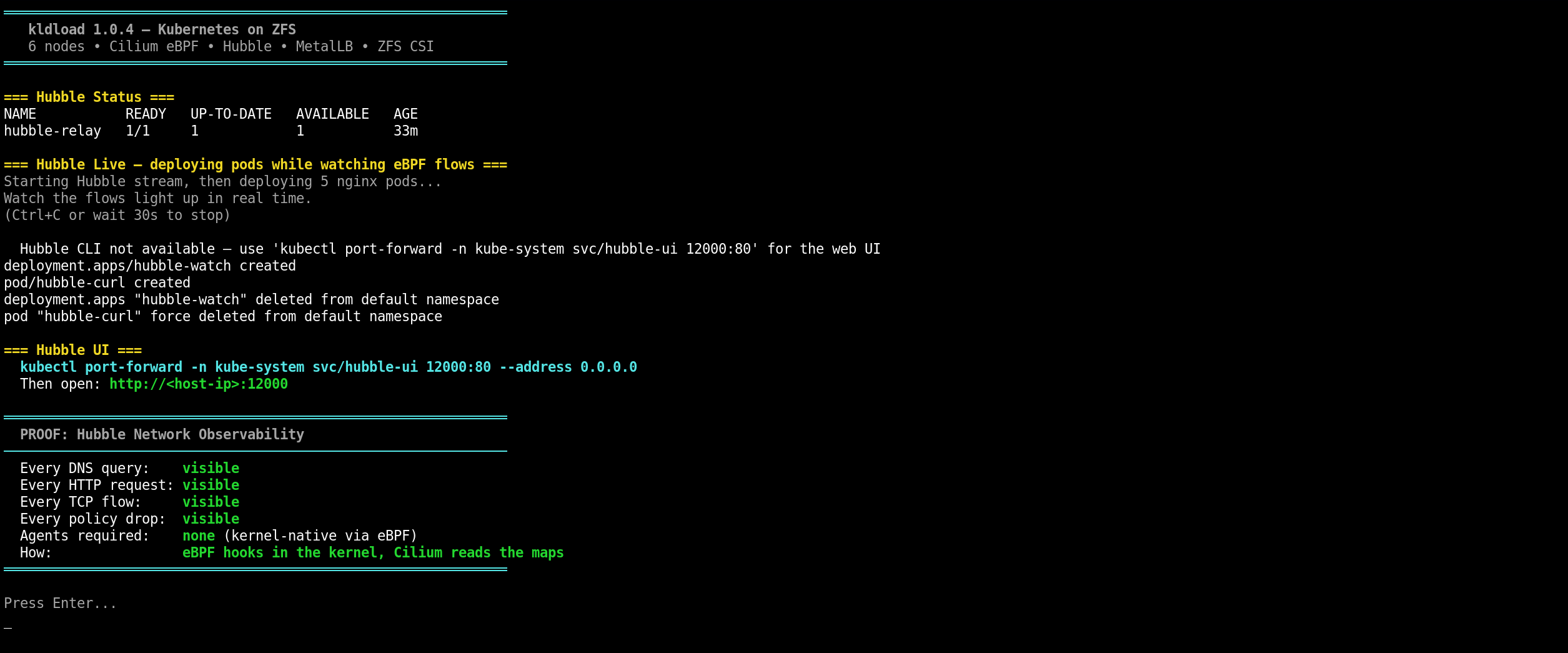
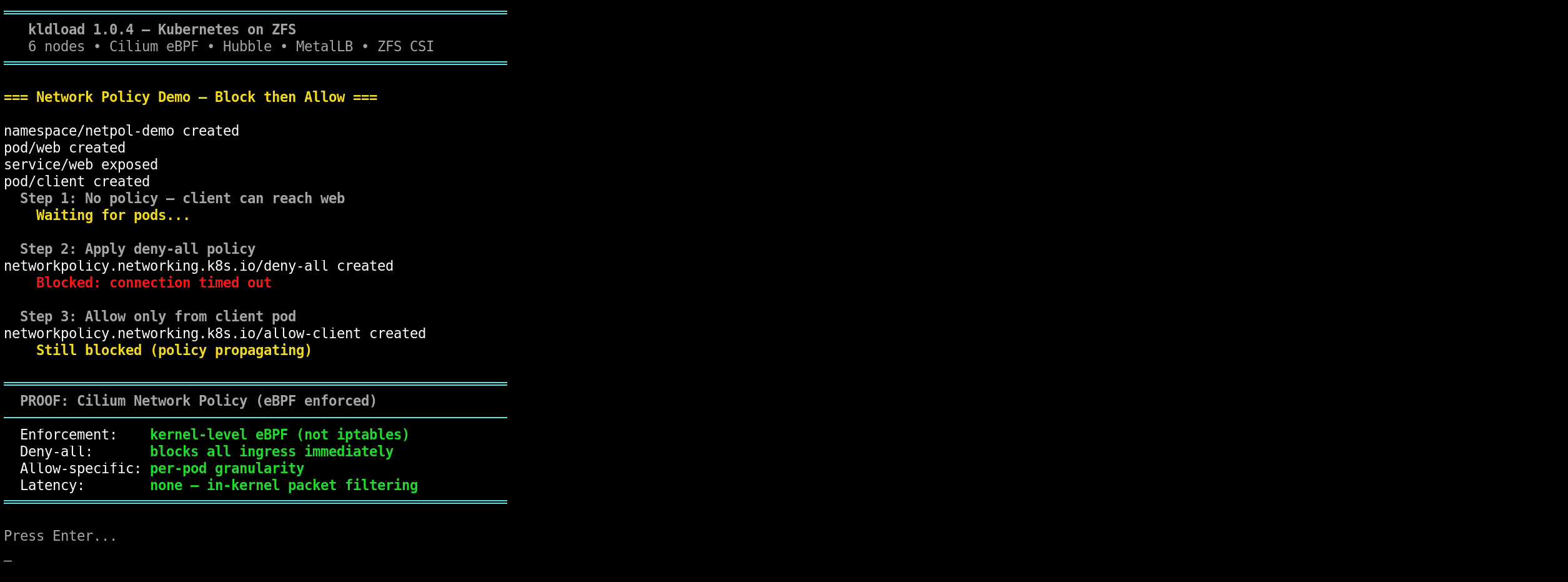
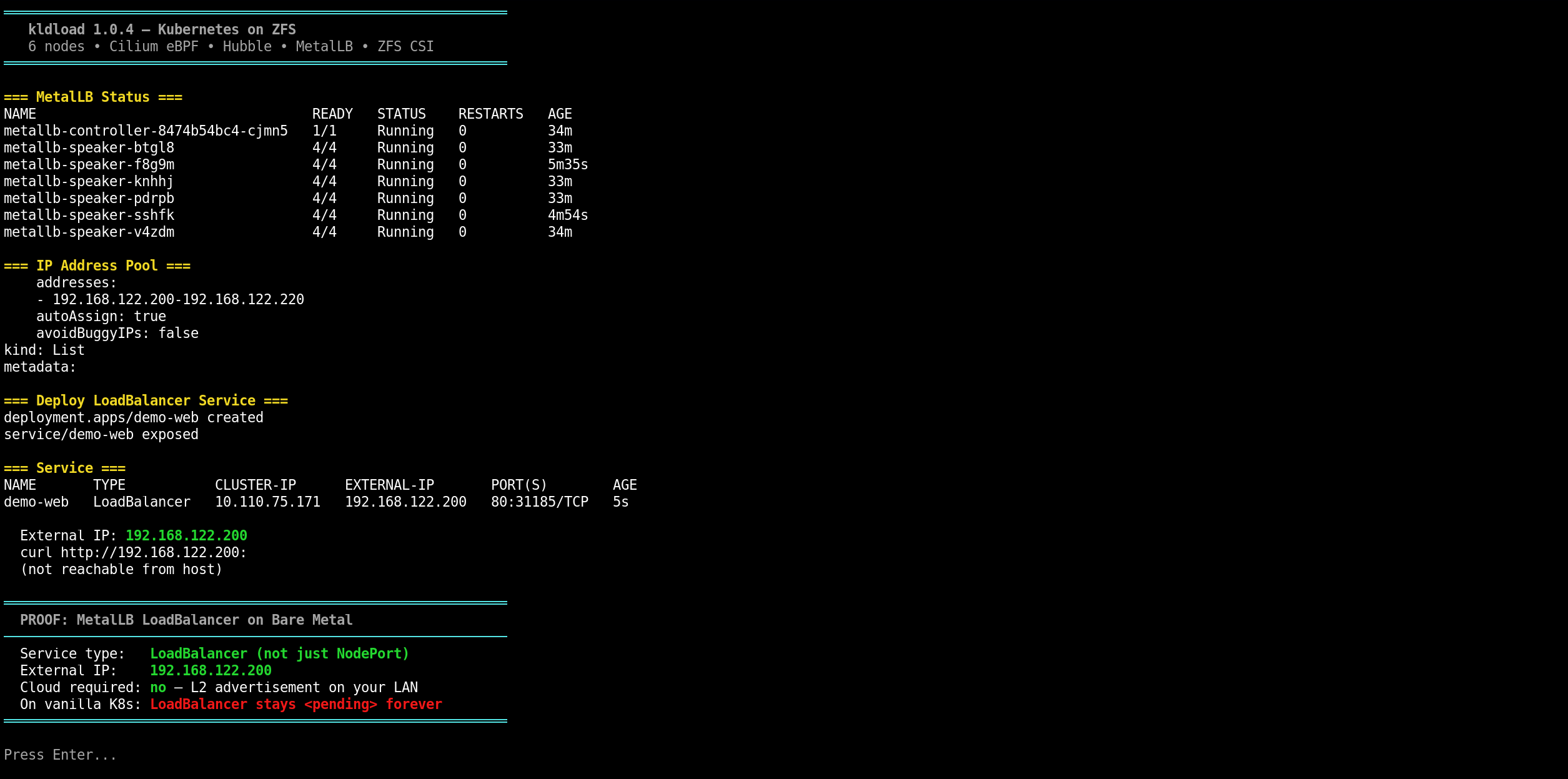
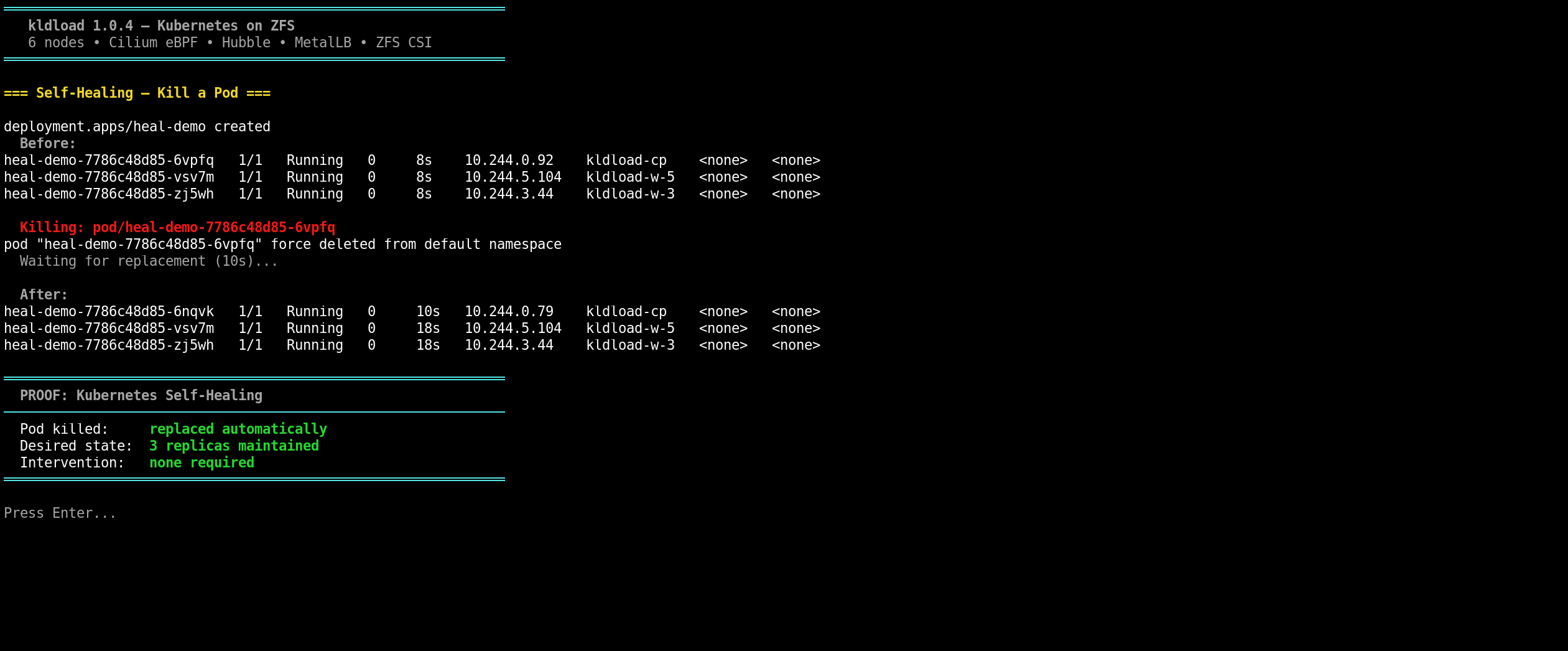
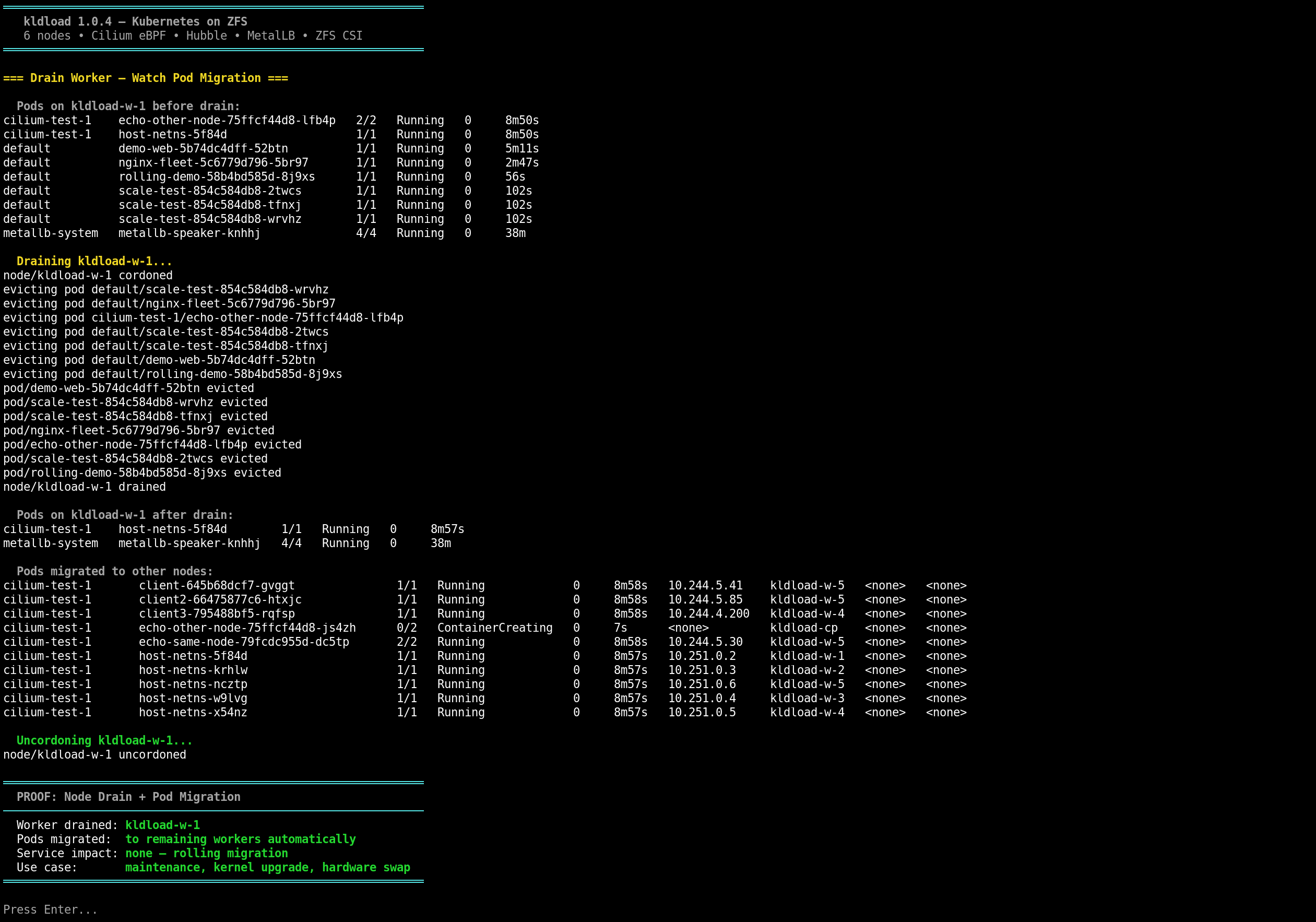
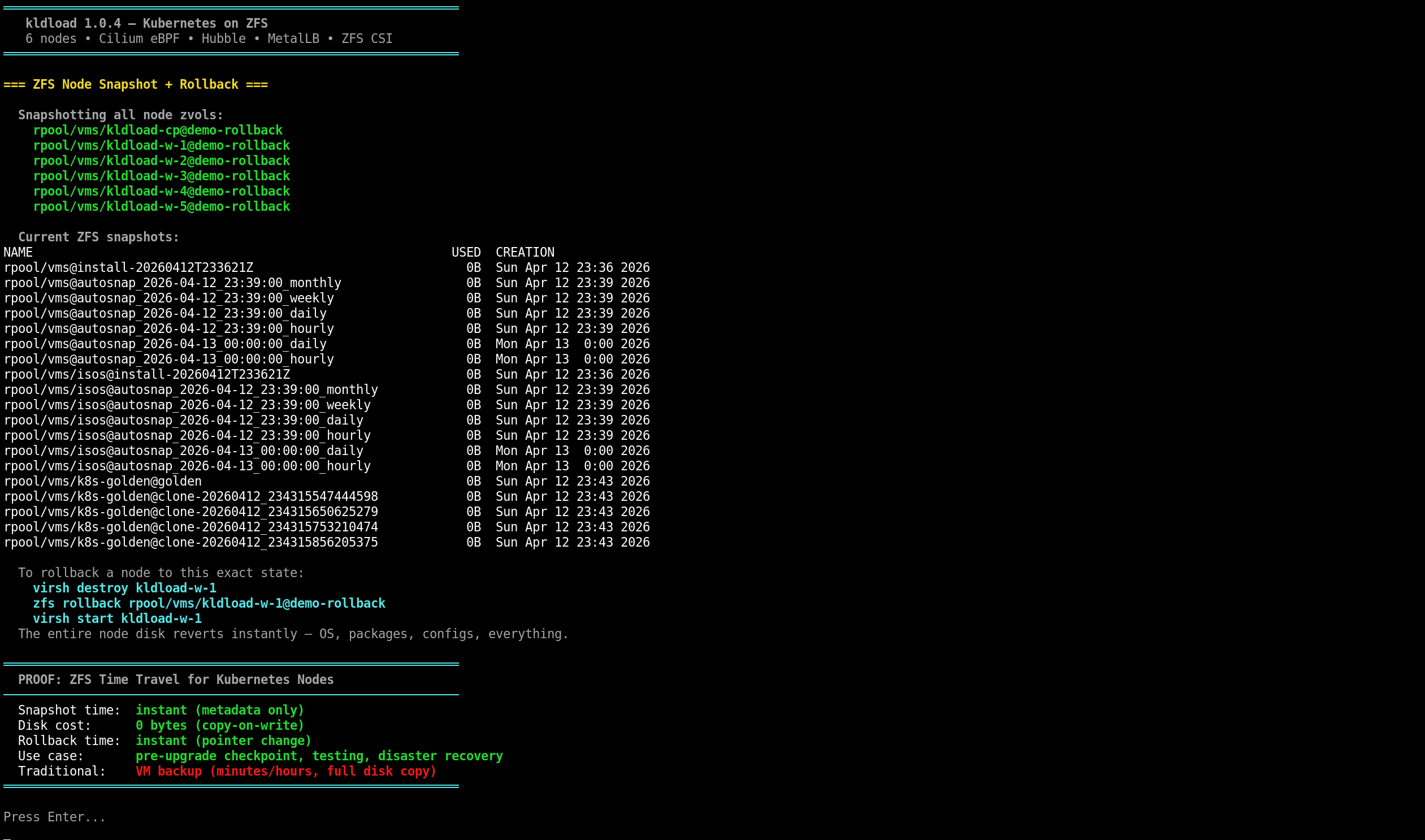
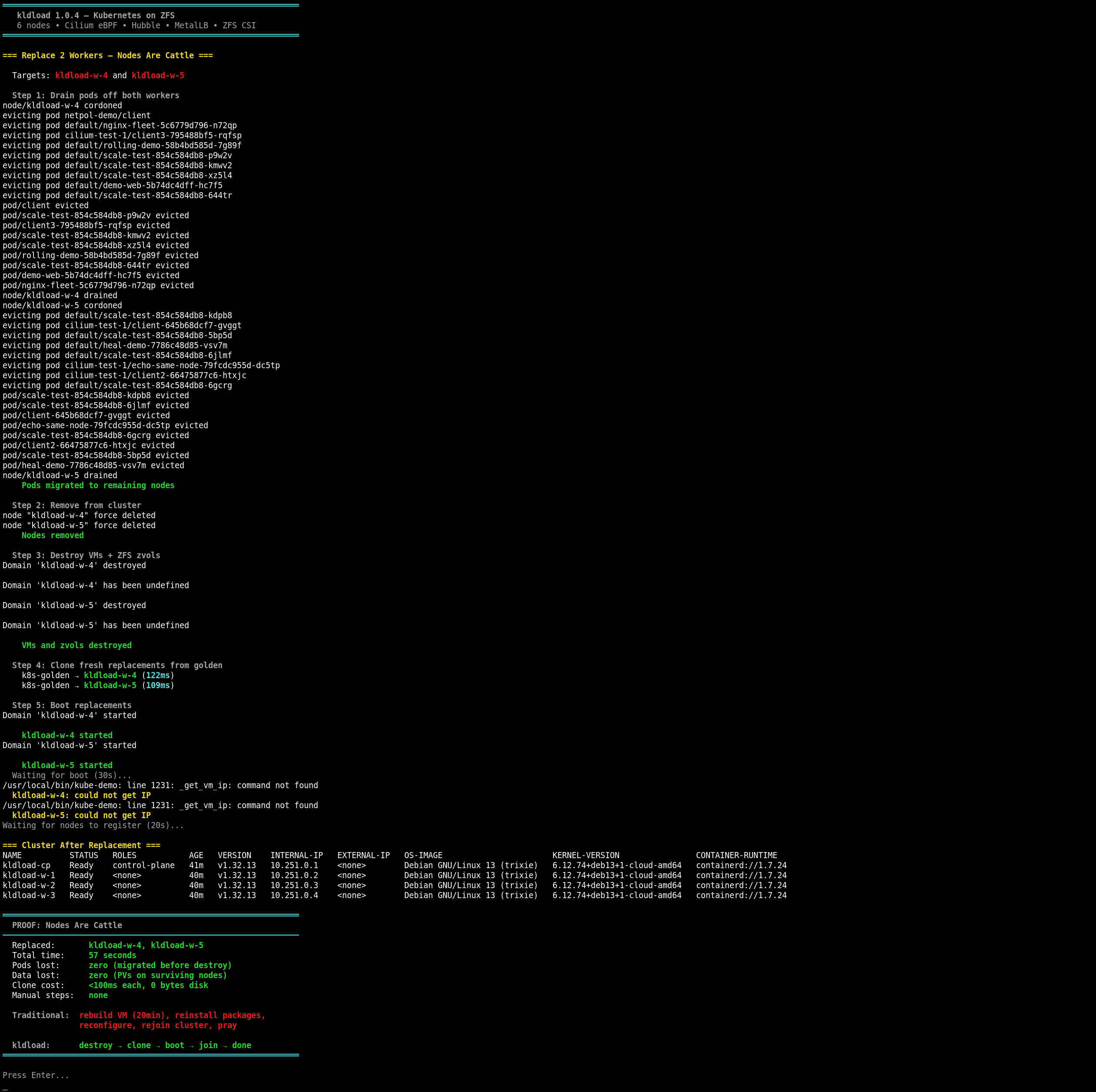
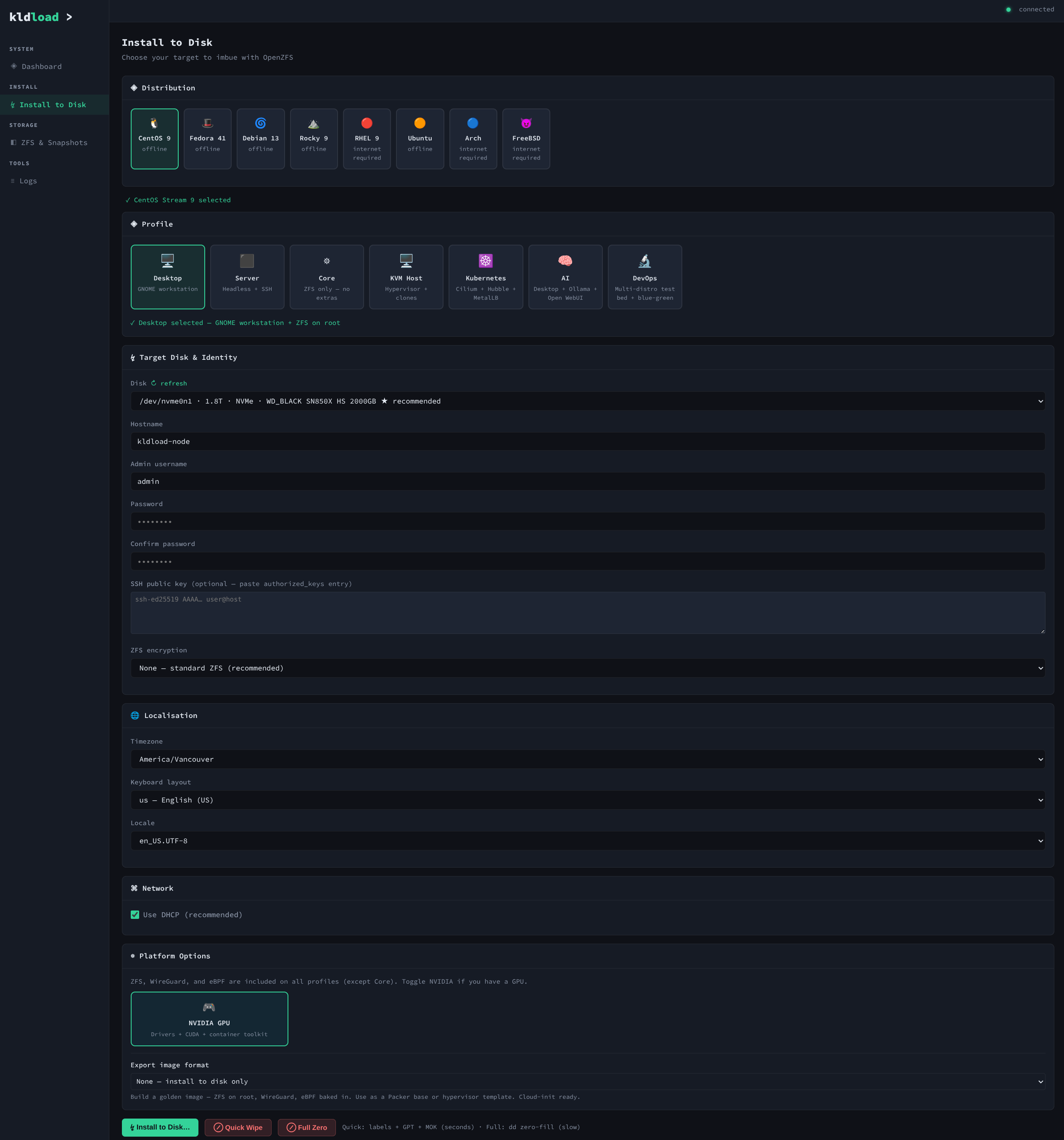
What's new in 1.0.4
One-Command Kubernetes
kube-cluster bootstrap --workers 5 — from bare metal to production cluster.
- Golden image built once — cloud image + kubeadm + containerd + Cilium + Helm pre-installed
- ZFS instant clones provision nodes in under 100ms each (copy-on-write, near-zero disk)
- Cloud-init gives each clone unique identity — hostname, SSH keys, machine-id
- 6-node cluster (1 CP + 5 workers) in under 20 minutes from USB boot
- Destroy and rebuild entire cluster in 60 seconds — golden image preserved
Cilium eBPF — The Kernel IS the Network
No kube-proxy. No iptables. No sidecar mesh. Pure kernel datapath.
- Cilium v1.16.5 as the only CNI — full kube-proxy replacement via eBPF
- eBPF maps replace iptables chains — O(1) lookups, not O(n) rule walks
- Network policy enforced at the kernel level, not in userspace
- L7 policy and observability without sidecar containers
- Gateway API backed by Cilium — ingress without nginx/traefik/HAProxy
Dual WireGuard Encrypted Backplanes
Every hop encrypted by default. Two separate planes for management and data.
- wg-mgmt (10.250.0.0/24) — SSH, kubelet, API server, etcd
- wg-k8s (10.251.0.0/24) — pod-to-pod traffic, Cilium eBPF datapath
- Full-mesh topology — every node peers directly with every other node
- Host joins mesh as node 100 — kubectl works over encrypted tunnel
- nftables firewall per node — only WireGuard + K8s ports open
Hubble eBPF Observability
See every flow, every DNS query, every HTTP request. Zero agents. Zero overhead.
- Hubble relay + UI deployed from first boot
- L3/L4/L7 flow visibility — DNS, TCP, HTTP, ICMP metrics
- eBPF hooks in the kernel — no DaemonSet agents, no packet captures
- Hubble UI accessible via port-forward for visual flow maps
ZFS-Backed KVM — The Foundation
Every K8s node is a KVM VM running on a ZFS zvol. ZFS superpowers flow up to Kubernetes.
- Instant clones — new nodes in under 100ms via ZFS copy-on-write
- Atomic snapshots — snapshot a node's entire disk, rollback instantly (ZFS time travel)
- Nodes are cattle — drain, destroy, clone fresh replacement from golden in 122ms
- Dedicated ZFS datasets — etcd on 8K recordsize, containerd and kubelet on separate datasets
- Sanoid auto-snapshots — hourly/daily/weekly/monthly per node, automatic retention
- Golden image workflow — build once, seal (clear machine-id, SSH keys), clone forever
Production Stack
Everything you need for production Kubernetes, installed from one command.
- MetalLB v0.14.9 — real LoadBalancer IPs on bare metal (L2 advertisement)
- Gateway API — Cilium-native ingress controller, eBPF datapath
- OpenEBS ZFS CSI — Kubernetes persistent volumes on ZFS (zfs + zfs-db StorageClasses)
- ZFS CSI snapshots — snapshot PVs, restore from snapshot, ZFS clone for instant recovery
- Secure Boot — end-to-end chain: shim → signed GRUB → ZFSBootMenu → ZFS root
- ZFSBootMenu — native boot environments, GRUB eliminated
- NVIDIA GPU — auto-detected, driver ready from first boot
- Complete offline install — RPM + APT darksites, container images pre-pulled
Bug fixes
| Fix | Details |
|---|---|
| CentOS SSH service name | SSH was not enabled on CentOS/RHEL/Rocky installs — service is sshd not ssh |
| kldload-snapshot binary missing | Binary existed in source but was never copied to the live ISO during build |
| Smoke test ANSI parse errors | grep -c on colored output produced multi-line values, crashing arithmetic expressions |
| Clone networking | Triple-layer DHCP fallback, machine-id per clone, cloud-init identity for reliable clone boot |
| Secure Boot chain | End-to-end fix: shim → signed GRUB → ZFSBootMenu → ZFS root. CentOS GRUB config path added. |
| SIGPIPE build failures | Trap SIGPIPE + remove pipefail around pip install — was killing builds for hours |
| VXLAN MTU over WireGuard | Cilium VXLAN (50 byte overhead) over WireGuard (80 byte) needs MTU 1370 — cross-node pod traffic was silently dropping |
| kbe list | Removed column dependency (not installed on Debian) |
Known issues
| Issue | Severity | Notes |
|---|---|---|
| Kubernetes best on Debian 13 | Info | The Kubernetes profile is tested and optimized for Debian 13 (Trixie). CentOS/Rocky work but have minor issues with MOK enrollment and GRUB config paths. |
| K8s not fully darksite | Medium | Helm charts and some container images (frr, busybox) still pull from internet during bootstrap. Container images for core stack are pre-pulled in golden. |
| Fedora darksite broken | Medium | Architecture detection issue in Fedora RPM darksite builder. |
| CentOS MOK/GRUB on first boot | Medium | CentOS may drop to GRUB menu instead of MokManager on first boot. Fixed in latest build — GRUB chainloader config now written to distro-specific EFI paths. |
| kube-demo replace workers | Low | _get_vm_ip function reference missing in kube-demo replace-workers. Clones create successfully but can't auto-rejoin. |
Kubernetes Commands
| Command | What it does | Example |
|---|---|---|
kube-cluster bootstrap | Deploy full K8s cluster from golden image | kube-cluster bootstrap --workers 5 |
kube-cluster destroy | Tear down cluster, preserve golden | kube-cluster destroy |
kube-cluster destroy --all | Tear down cluster + golden image | kube-cluster destroy --all |
kube-cluster status | Show cluster health | kube-cluster status |
kube-cluster golden | Build golden image only | kube-cluster golden |
kube-init | Initialize control plane (Cilium, MetalLB, CSI) | kube-init |
kube-join | Join worker to existing cluster | kube-join 192.168.122.10 |
kube-setup | Install K8s packages on any node | kube-setup |
kube-network init | Initialize WireGuard mesh for a node | kube-network init 1 |
kube-network add-peer | Add WireGuard peer | kube-network add-peer 192.168.122.20 <pubkey> 2 |
kube-network nft | Apply nftables firewall rules | kube-network nft |
kube-network status | Show WireGuard mesh status | kube-network status |
kube-demo | Interactive 21-option K8s demo | kube-demo |
kube-status | Quick cluster health check | kube-status |
kube-smoke-test | Comprehensive 38-check validation | kube-smoke-test |
kube-reset | Reset kubeadm on a node | kube-reset |
kube-load-images | Load container images from darksite tarballs | kube-load-images /root/darksite/k8s-images/ |
KVM Commands
| Command | What it does | Example |
|---|---|---|
kvm-create | Create VM on ZFS zvol | kvm-create --name webserver --ram 4096 --cpus 2 --disk 40G |
kvm-clone | ZFS instant clone (~100ms) | kvm-clone golden-image my-clone |
kvm-snap | Atomic ZFS snapshot of a VM | kvm-snap webserver pre-upgrade |
kvm-list | List all VMs with state and disk usage | kvm-list |
kvm-delete | Destroy VM + zvol + orphan snapshots | kvm-delete my-clone |
kvm-demo | Interactive KVM + container demo | kvm-demo |
ZFS Management
| Command | What it does | Example |
|---|---|---|
kst | System health dashboard | kst |
ksnap | Smart snapshot manager | ksnap create mysnap |
kclone | Clone datasets or zvols | kclone rpool/data@snap rpool/data-copy |
kbe | Boot environment manager | kbe create pre-upgrade |
kdf | ZFS-aware disk usage | kdf |
kpkg | Package manager with auto-snapshot | kpkg install nginx |
kupgrade | Safe OS upgrade with rollback | kupgrade |
kexport | Export golden images | kexport --format qcow2 --output /tmp/image.qcow2 |
krecovery | Disaster recovery tools | krecovery |
kldload-overview | Unified status — ZFS, VMs, K8s, GPU, eBPF | kldload-overview |
Supported distros (8)
| Distro | Status | Notes |
|---|---|---|
| CentOS Stream 9 | Supported | Primary target. RPM darksite. All profiles. |
| Debian 13 (Trixie) | Supported | APT darksite via debootstrap. |
| Ubuntu 24.04 | Supported | APT darksite. Universe component for ZFS. |
| Fedora 41 | Supported | RPM darksite. ZFS DKMS. |
| RHEL 9 | Supported | Shares CentOS RPM darksite. Red Hat CDN for subscription packages. |
| Rocky Linux 9 | Supported | Shares CentOS RPM darksite. |
| Arch Linux | Supported | Online install (rolling release). ZFS on root. |
| Alpine Linux | WIP | Bootstrap exists. End-to-end testing in progress. |
| FreeBSD | New | Native ZFS. WireGuard support. New in 1.0.3. |
Upgrade path
No in-place upgrade from 1.0.2. Fresh install recommended. Use zfs send to migrate data pools.
Built by one person who just knows the primitives.
Learn the primitives — they'll outlast any product.